Capture invoices automatically instead of retyping data.
Incoming invoices are read and pre-checked automatically – accounting only needs to approve.
Illustrative example: This scenario shows a possible implementation. It does not describe a specific client project.
Starting point
A manufacturing company receives incoming invoices as PDFs by email and occasionally still on paper. Accounting opens each invoice, types in supplier, invoice number, amounts, tax rates and due date, and matches them against purchase orders.
For approval, invoices are emailed to department heads. Responses take time, early-payment discount deadlines get tight and the status is only visible by asking around.
The challenges so far
Retyping documents
Each invoice is captured field by field by hand.
Error-prone
Transposed digits or wrong tax rates often surface late.
Slow approvals
Invoices sit in inboxes; deadlines come under pressure.
Lack of transparency
It's hard to see where an invoice is in the process.
The possible AI and automation solution
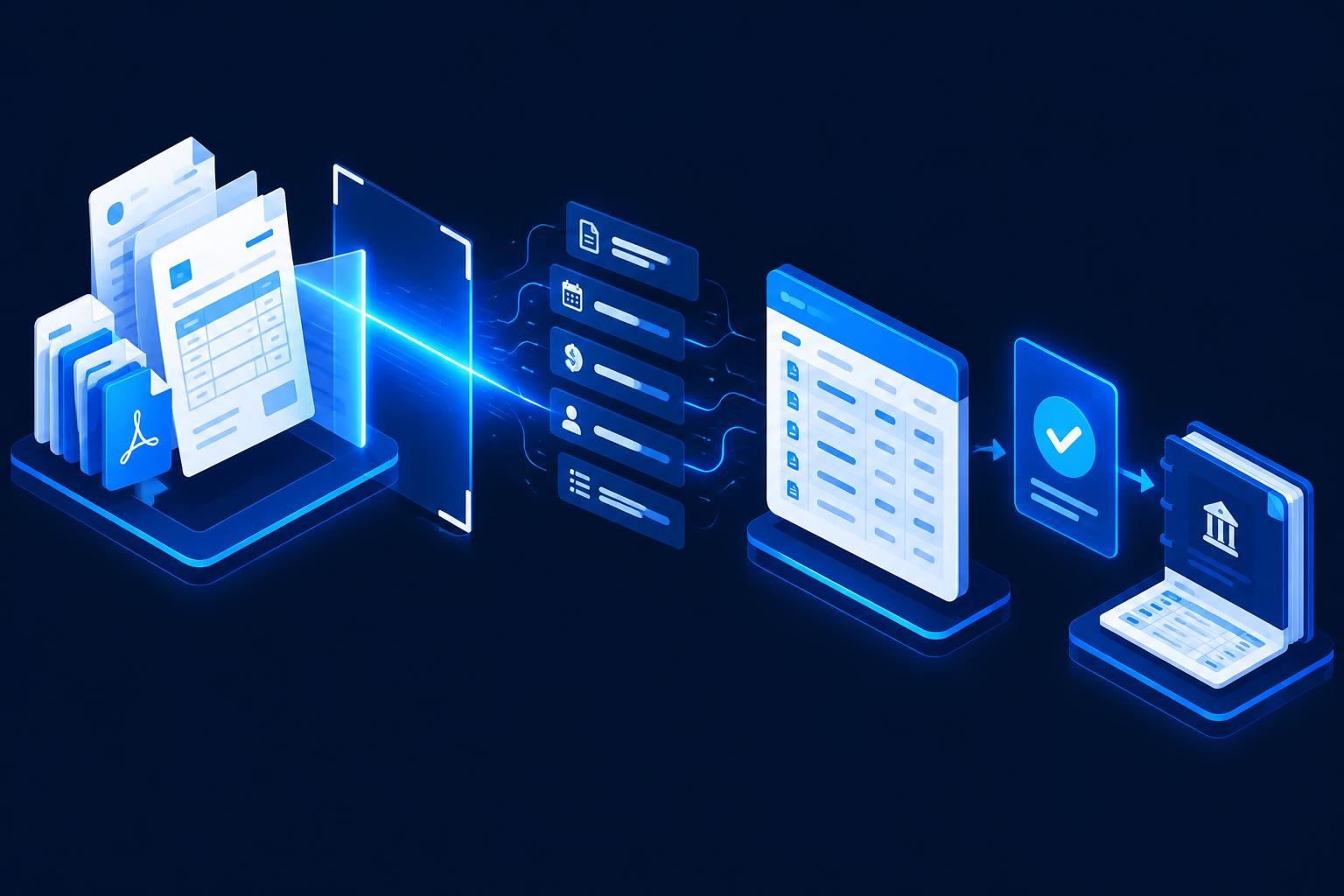
A central invoice inbox is read automatically. AI recognises the invoice type and extracts the relevant fields. Rules check mandatory details, arithmetic and the match with purchase orders. The prepared records go into a digital approval process and are transferred to the accounting software after approval.
- Automatic retrieval of invoices from the inbox; scans are digitised
- AI-assisted extraction of supplier, number, date, amounts and tax rates
- Plausibility checks and purchase-order matching
- Digital approval with reminders to the responsible person
- Transfer to the accounting software including the document
// What
What the automated workflow could look like
Step by step – from input to result.
- 01
Invoice arrives
PDF by email or scan lands in the central inbox.
- 02
Read data
The AI recognises all relevant fields and the supplier.
- 03
Check
Mandatory details, totals and PO reference are checked automatically.
- 04
Approval
The responsible person receives the invoice for approval – with reminders.
- 05
Transfer
Approved data is transferred to the accounting software.
- 06
Archive
Document and approval history are filed traceably.
Before/after comparison
Before
- Invoices are retyped
- Checks by hand
- Approval email ping-pong
- Deadlines under pressure
- Status only by asking
After
- Fields read automatically
- Rule-based pre-check
- Digital approval with reminders
- Deadlines in view
- Processing status always visible
Potential benefits
Qualitative assessment – the actual value depends on your workflows.
Less retyping
Accounting reviews instead of entering data.
Fewer transfer errors
Automatic plausibility checks catch anomalies.
Faster approvals
Clear ownership and reminders speed things up.
Traceability
Every step is documented.
Where people still decide
Final approval and booking remain with accounting and the responsible people. For discrepancies, new suppliers or uncertain fields, the system explicitly flags the invoice for manual review. Tax questions are still handled by the tax advisor.
Possible technical integrations
Example systems – the selection depends on your existing software.
- DATEV
- Xero
- QuickBooks
- SAP Business One
- Microsoft 365 / Outlook
- Google Drive / SharePoint
- Document management (DMS)
- n8n / Make
Related services
FAQ on this scenario
Is this compliant with record-keeping rules?
The automation does not replace an audit-proof archive. We connect a suitable DMS or the archive function of your accounting software and ideally align the process with your tax advisor.
Can the AI process e-invoices (XRechnung, ZUGFeRD, Peppol)?
Structured e-invoices can be read by machine directly – often more reliably than PDFs. They can be processed in the same workflow.
What if a field is recognised incorrectly?
Uncertain fields are flagged and presented for review. Nothing is transferred to accounting without approval.
How much manual work is hidden in your administration?
Find out in the AI potential check which admin tasks could be automated in your business.